#OpenSource part 1: The AHAH moment
I love Open-Source Software. They are a lot of reasons for this fact, some are quite practical and unoriginal, and other are more personal. I really could write a blog specifically on this subject, so I'll try to summarize and share some — I hope — though provoking ideas on the subject. I will not try to define Open-Source, or even to explain what it is. I will assume you already know about the subject. If not, start by installing Linux, it's a very good entrypoint to this wonderful world. For those that are familiar with it, I will use Open-Source as a synonym for FOSS (Free and Open-Source Software), since the distinction is pretty blurry. Software that has freely available and editable source code but with voluntary restrictions to run it are just out of the discussion for this time. Like many other fields, the healthy and engaging way to meet open-source is to realize what it can do for you. It's a very personal thing, and people will not value the same Open-Source Software the same way. Why is that the case for Open-Source Software in particular, and not any Software ? I think there are multiple reasons for this fact.- First, a lot of people use Open-Source Software in their free time, compared to the licensed software your company bought for your work.
- Second, most Open-Source projects are centered around a community. If you ever talked about [vim](https://en.wikipedia.org/wiki/Vim_(text_editor), Blender, or met a VLC fanboy, you know what I'm talking about.
- Lastly, you are free to quit a tool and to test another one. Sure, it's a double-edged sword (how much time lost by smart people in distro-hoping 😢). But having a reference point is essential. You don't find a software great if you don't think the predecessor was awful.
- 1) You need to have developed a routine, a habit, a practice. If some friend shares with you an incredible piece of software to do kroposcopes, and you never did kroposcopes yourself, you won't get it.
- 2) This must not be the first you try for this habit. Otherwise, it will just be "the default tool for the job" in your mind, no matter how great it is.
- 3) This must solve a problem you was really frustrated by when using the previous try.
FOSS AHAH TIMES
Marimo
A successor to Jupyter notebook, an app to work with reactive python scripts. It's on the top of my list because it's what made this website possible. It powers the entire thing, and I'm so grateful to the devs of Marimo to have created this incredible product. You may have the HAHA moment if one of these happened to you:- You tried jupyter, and you tracked a bug for hours because you defined a variable twice with the same name
- You wanted to share your notebook with git, and had 5 merge conflicts in the same day
- You wanted to transform your notebook into a python script, to move it to production
- You dream about using SQL in your python notebooks
- You want to automatically re-run some cells depending on the result of others, or depending on you input like a slider
Zed
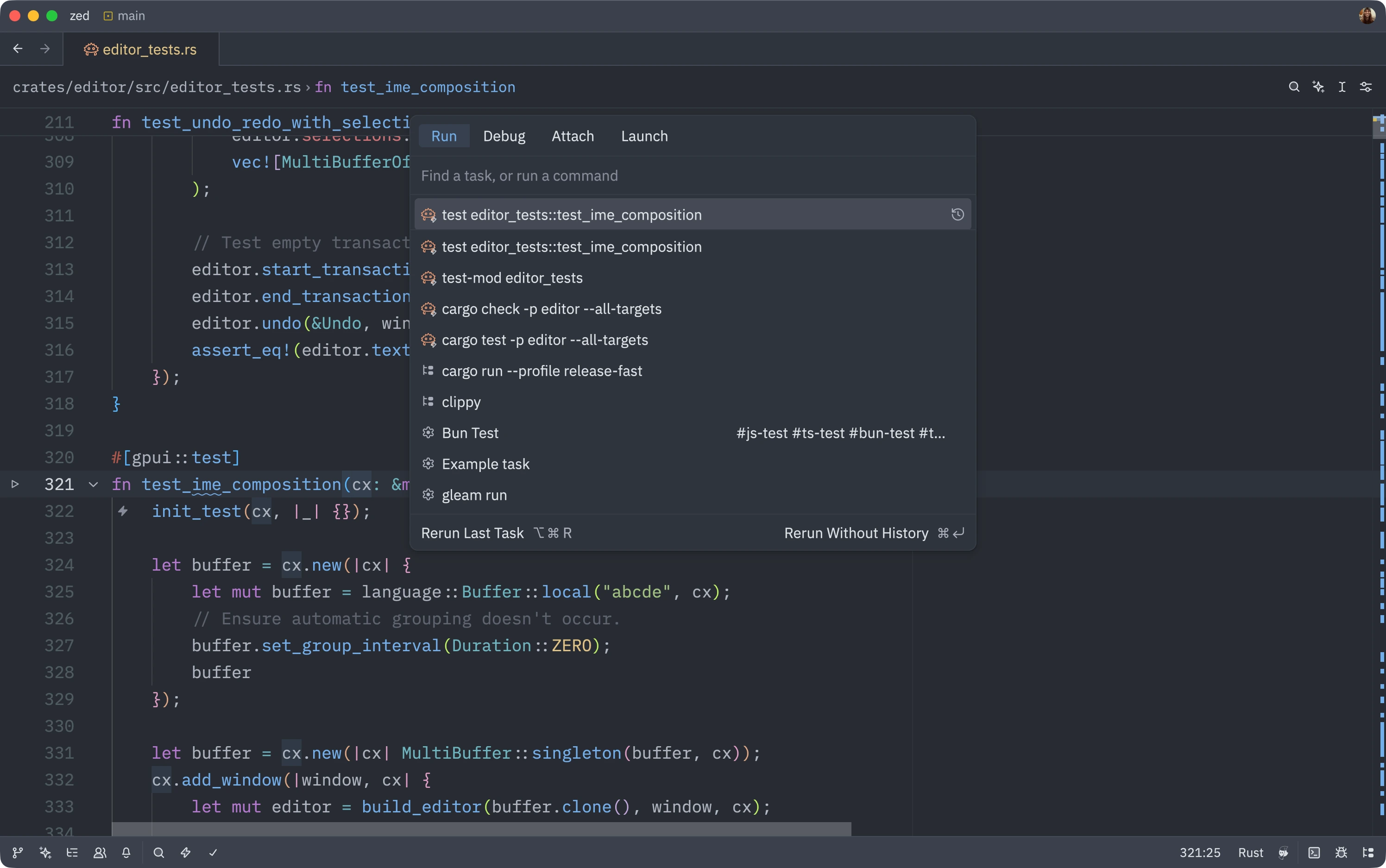 Zed is a modern code editor. And it's not VS-code.
You may want to use it if:
Zed is a modern code editor. And it's not VS-code.
You may want to use it if:
- Your laptop does not have the resources to run VScode with a decent speed
- You hate microsoft
- You want a vim-mode that works, and is deeply integrated with the editor
- You want a very, very, very fast editor. Seriously, it's hundreds of times faster than its competitors.
- You want a great default config to work with python, js, java, html, css, rust, go, markdown ... without having to install anything.
Yazi
Yazi is a file explorer for the terminal. You will love it if:-
You spend a lot of time in your terminal, and you would like to display your markdown, pdf, jpeg, mp4 and svg in it (yes, it's possible)
- You often want to import some code / config file / text file from an older project, and you want to die when you try
cp -r ../../../projects/2024/foobarbaz/src/module srcand you realize it was not in THIS project but in the other one from 2023 - your file manager is just too slow, you know 🐌
- you want something as good as VIM, but for file management
F1key followed by f to key to show the help menu.
Photoprism
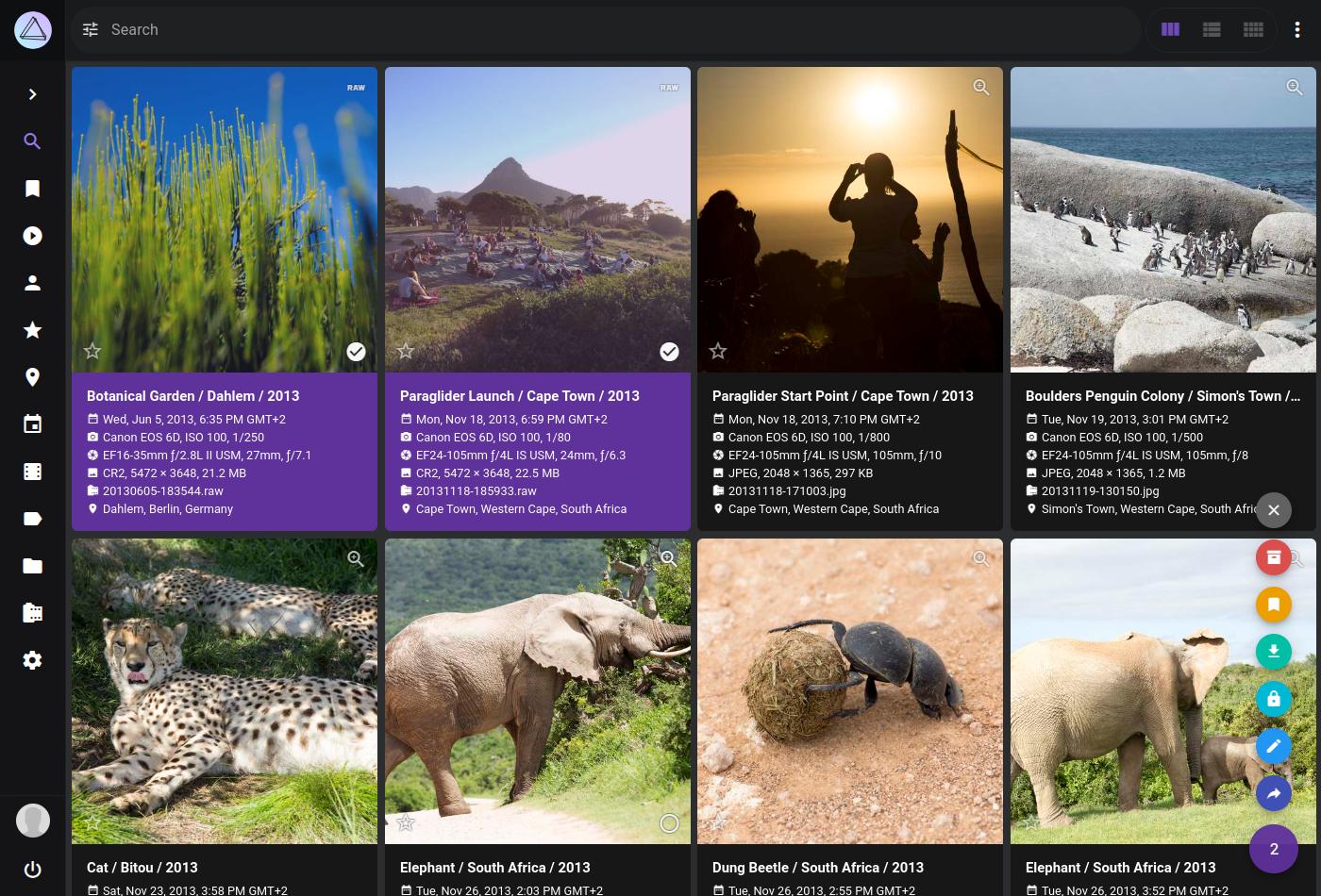 A web app you can self-host, to store and explore all the photos of your family
Useful if:
A web app you can self-host, to store and explore all the photos of your family
Useful if:
- you are constantly trying to find a picture of a specific event, and you don't know who took the photo
- You love self-hosting things
- You hate how you're phone is syncing with your drives at random times, without asking your permissions
- You have multiple hard drives, and you would prefer t have a single one with all your photos.
- You travel a lot and you would like to see a map of where the photos were taken (not my case but it may be yours)
Syncthing
A very convenient tool to sync all your devices whenever they are connected to wifi You may love it if:- you use some tool on at least 2 devices (a note taking app, music thing, or something else) and data is never up to date between the 2
- You don't like USB sticks / you don't have a USB stick compatible with your phone
- You want to have you administrative documents always with you, and edit them from your phone or computer
Grist
 I discovered this one very recently. I am lucky enough to work in a company that uses a lot of Open-Source Software, and they initiated me to the wonderful spreadsheet tool Grist.
It's often describe as the best baby PostgreSQL and google sheets could have add. Except it's python formulas 😮
You may not care at all. But you may absolutely love it if:
I discovered this one very recently. I am lucky enough to work in a company that uses a lot of Open-Source Software, and they initiated me to the wonderful spreadsheet tool Grist.
It's often describe as the best baby PostgreSQL and google sheets could have add. Except it's python formulas 😮
You may not care at all. But you may absolutely love it if:
- You don't understand how people at Google or Microsoft are not smart enough to create a usable formula system
- You like the ability to share with Google Sheets, but don't like
- You are the kind of person who like to automate everything, and you would like to manage your surveys, your calendar, or even your mails in a spreadsheet
-
You decided to use a database for a personal project, and now you have to remember this kind of syntax just to insert a value. Or worse: renaming a column
- ```sql
UPDATE posts
SET url = REPLACE(url, 'http','https');
- You work with structured data (Coordinates, Dates) and you want to visualize them INSIDE the spreadsheet app.

- You start with a "commands" spreadsheet. You realize each command has a "user", so you create a new "user" table. Your bran start switching to SQL mode, and you cry all the tears of your body because Excel is just too dumb.

You redemption has come. Try Grist, and be happy with spreadsheets again.

## [Typst](typst.app)

Typst is the greatest markup language and document generator. It's insane.

To get why Typst is insane, I think you need to come from LaTeX (If you come from Word, first realize that LaTeX is infinitely better than Word, and then that Typst is infinitely better than LaTeX).

LaTeX is known to be a hell, both for newbies and for experienced users. I have not met one single problem of LaTeX that is not solved by Typst.

- LaTeX is heavy and hard to install. You have multiple ways to install it, most of them break at some point, it's huge (like more than 500M of files), I'm not sure you can't install it without sudo. In comparison, Typst is a single binary

- Since it's so hard to install, most LaTeX user use an online editor called Overleaf. It's a crappy editor to be honest, and it does not fix the second major problem of Latex: it's extremely slow to compile. Typst also has a web editor, but the compilation is in most case instant thank's to incremental compilation.

- LaTeX syntax is horrible. The most used character in Latex is `\`, which is hard to reach on a lot of keyboard. In typst, function are defined with `#let function = ` and called with `#function()`. The escaping logic (an extremely important thing for preprocessors) is great.

- LaTeX syntax is slightly less awful for math, but sometimes can be confusing. In particular for things like `\underbrace`, `\big` or `\begin{align}`

- Packages ... From my understanding there is no such thing as a standard library for LaTeX, so depending on your installation method you will not have the same. And they're not really nice to install. In Typst: you have a fixed core, and packages you can install just by doing `#import "@preview/cetz:0.4.2"`. And the documentation of any package you can imagine is accessible in [the Typst universe](https://typst.app/universe/)

- Typst has a super cool Turing-complete scripting language. You can do what you want with it.

Most of the pdfs on my site are generated using typst. For example [this essay](https://rambip.github.io/minimal_design.py.html) and [my cv](https://rambip.github.io/assets/career/cv_en.pdf)

## [Just](https://just.systems/)

A "command-runner". Define a command, call `just`, it will run the command.

Why care ?

- You are constantly looking at your shell history to re-run the 2 same commands

- You tried to automate some tasks in your project with a `Makefile`, but it ended up having more lines inside than your entire projects

- You colleagues ALWAYS have an issue with their `PATH` environment variable.

Very simple to use:

```just
# this copies my asset to the final directory
copy-assets:
cp -r assets dist
- ```sql
UPDATE posts
SET url = REPLACE(url, 'http','https');
just copy-assets in your terminal
Polars and Altair
That's a big one.polars is a dataframe / database manipulation library, and altair is a visualisation library.
Here is the story in short:
- 1) I discovered pandas
- 2) I tried using pandas for a real case, so it was a bit complicated
- 3) I spent hours trying to understand what the best way to do it in pandas was
- 4) I hated pandas
- 5) I discovered
polars
- 1) I discovered matplotlib
- 2) I tried using matplotlib for a real case, so it was a bit complicated
- 3) I spent hours trying to understand what the best way to do it in matplotlib was
- 4) I hated matplotlib
- 5) I discovered
altair
altair and polars share the same core idea of creating an abstraction structured around a chain of operators. They are slightly more verbose for short cases (plt.plot(x, y) vs alt.Chart({"x": x, "y": y}).mark_line().encode(x="x", y="y"), they have a steeper learning curve, but when you master them they are just a joy to work with.
They are plenty of examples of how I use these 2 libraries in this site.
N8N
Automate everything. Wasted hours trying to configure a discord bot, a slack notifier or a github PR analyzer ? Use n8n.Bevy
From their website:A refreshingly simple data-driven game engine built in Rust Free and Open Source Forever!I have tried multiple times to code small simulations of agents colliding and moving (like boids). One day I tried with bevy, and it clicked. It uses an "Entity Component System". Once you use it, you just understand you thought about "videogames-like-code" wrong. With bevy you can:
- get started without installing a huge game-engine sdk
- publish to the web
- switch from a 2d project to a 3d project when you want
Regex101
A website to test regex. If you already used regex, you know it. I don't have to add anything.Openscad
a declarative, functional programming languages to define 3d objects. I used it only once, but it was sooooo fun. Just look at that: ExampleRipgrep and fd
Did you already usegrep to find files in your project, but forgot the flags ?
Did you use find but hated how the default parameters where ?
Use ripgrep and fd instead !
Most unix command-line terminals have at some time being rewritten in Rust, with interactive options and better defaults. Try them out !
Mise en Place
With all the examples I gave, you're probably thinking "this guy must install and uninstall programs very often right ?". Yes, I do. And when you do, using package managers likeapt-get or dnf is not great. You remember what you installed, and more importantly you have to use SUDO. How do you install the programs you love on the linux machines at your university ? Worse, what if you're on windows 🤮 ?
Well, use mise. Mise can be used to install a lot of packages. Basically, at long as it is on github, mise can install it locally.
AHAH moments Yet to happen
Sadly, some of the tools I used have not reached this "AHAH" step. But I think it's possible, if someone smart enough and with enough motivation comes along and fix the problems. Here are a few.Window managers
On linux, you can chose the programs that renders your windows, notifications, monitors, application shortcuts ... I tried:- Gnome
- i3
- KDE
- sway
- hyprland